
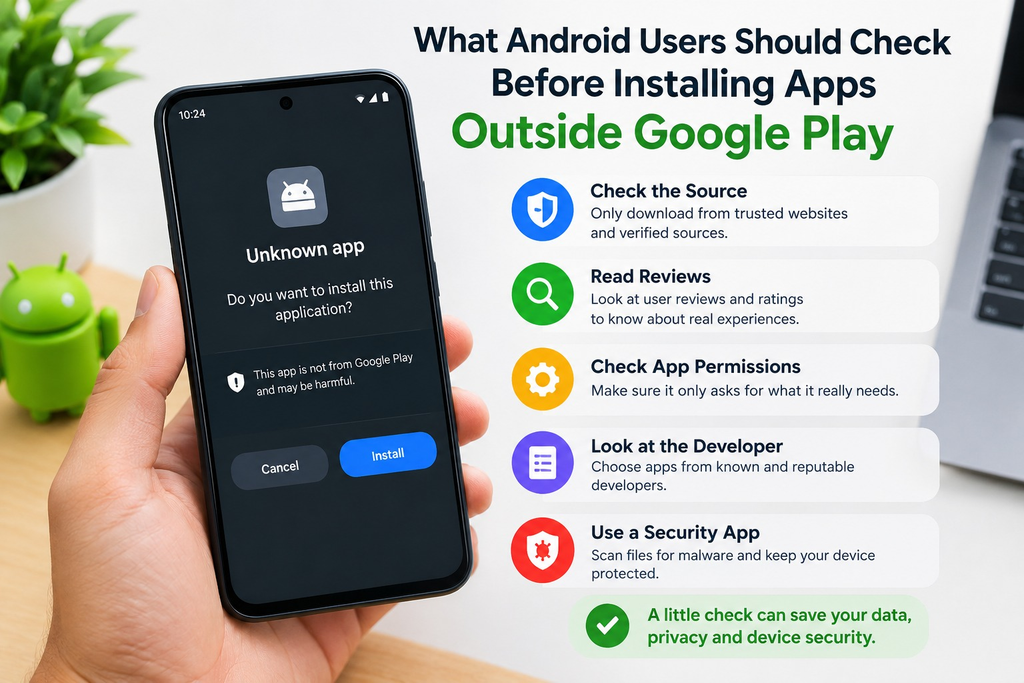
Android is popular partly because it gives users more freedom over how they install and manage applications. While Google Play remains the main source of apps for most people, Android also allows users to install applications distributed directly by developers or other websites.
These installation packages are commonly provided as APK files.
The flexibility can be useful, especially when an application is unavailable through a user’s usual app store. However, installing software from outside Google Play also means the user has to take more responsibility for checking what is being installed.
Before downloading an unfamiliar APK, there are several things worth checking.
1. Research the App Before Downloading It
A download button should not be the first thing a user looks for.
Start by understanding what the application actually is, who it is intended for and what features it provides.
Search results may contain several websites using similar app names, and it is not always obvious which information is current.
Independent app guides can be useful during this research stage. For example, someone researching rummy-related Android applications may come across resources such as Yono Rummy, where users can review information about different apps before deciding whether they want to explore them further.
The important distinction is between researching an application and trusting an APK file. A guide can help users understand an app, but the actual installation source should still be checked separately.
2. Identify the Original Developer or Publisher
Before installing an APK, try to determine who created the application.
A legitimate app should normally have identifiable information such as a developer or publisher name, version number and update history.
Be cautious when different websites claim to offer the same application but provide conflicting information about its developer or latest version.
Users should also be careful with words such as “official”, “verified” or “latest”. These terms are easy to place on a webpage and do not independently prove that a file came from the original developer.
Whenever possible, compare the information with the developer’s official website or another reliable source.
3. Check the APK Version
Version information can reveal more than many users realise.
An APK listing should ideally show a clear version number and update date. If a website claims to provide the latest release but does not identify the version, it becomes difficult to verify that claim.
Old APK versions may contain bugs that have already been corrected in newer releases. They can also lack compatibility updates required by recent versions of Android.
At the same time, an unusually new version number that cannot be confirmed anywhere else deserves additional scrutiny.
The goal is not simply to find the newest number. It is to make sure the version information is consistent.
4. Look Carefully at Android Permissions
Permissions are one of the most useful security signals available to ordinary Android users.
Different applications legitimately need different permissions. A camera application, for example, obviously needs access to the camera.
The question is whether the requested permissions make sense for what the app is supposed to do.
If a simple game requests access to contacts, call logs, messages or other unrelated information without explaining why, users should investigate before proceeding.
Recent versions of Android also make it possible to control many permissions individually. There is rarely a good reason to approve every request automatically.
5. Don’t Disable Security Features Just to Complete an Installation
Installing an APK may require Android to allow installation from a particular browser or file manager.
That is different from permanently disabling security protections.
Users should be suspicious of instructions telling them to turn off multiple security settings, ignore repeated warnings or disable protection software entirely.
Android security warnings exist for a reason.
If an installation process requires unusually broad changes to the device’s security configuration, it may be better to stop and investigate the application further.
6. Check Whether the App Matches Your Device
Security is not the only concern.
Compatibility can also cause problems.
An APK may require a newer Android version than the phone supports. Some applications are designed for specific processor architectures, while others may perform poorly on devices with limited memory.
Before installing, check:
- required Android version;
- approximate file size;
- available storage;
- expected network requirements;
- update requirements.
This is particularly useful for older or entry-level Android phones.
A technically legitimate APK can still be a poor choice if the device cannot run it properly.
7. Be Careful With Modified APKs
Modified applications are widely distributed online.
They may promise unlocked features, removed restrictions or other changes that are not present in the original software.
The problem is that users usually cannot easily determine what else has been modified.
A changed APK could contain additional code that has nothing to do with the advertised modification.
For that reason, unofficial modified versions generally introduce more uncertainty than an APK obtained directly from its original developer.
8. Pay Attention to the Website Providing the File
The quality of the website itself can provide useful clues.
Look for basic information such as:
- clear contact details;
- an About page;
- privacy information;
- identifiable authors or editors;
- meaningful app descriptions;
- update dates;
- working navigation.
None of these things guarantees that a download is safe, but their absence should make users more cautious.
A page consisting almost entirely of large download buttons, exaggerated claims and redirects deserves more scrutiny than a site that clearly explains what an application does.
9. Keep Android Updated
Device security does not end after installation.
Android updates often contain security patches that address vulnerabilities discovered after a phone was released.
Where supported, users should keep Android, Google Play system components and important applications updated.
This reduces the risk created by known security flaws and can also improve compatibility with newer applications.
10. Remove Apps You No Longer Use
Many people accumulate applications over time and forget about them.
An app that is no longer used may still retain permissions or continue consuming storage and background resources.
Periodically reviewing installed applications is therefore a simple but useful habit.
If an app is unnecessary, outdated or no longer supported, removing it can reduce clutter and limit unnecessary access to the device.
APK Installation Requires a Little More Responsibility
Android’s open installation model is one of the platform’s advantages.
Users can access applications distributed in different ways instead of depending entirely on a single marketplace.
But greater flexibility also requires better judgement.
The safest approach is not to assume that every third-party APK is dangerous, nor to assume that every download page is trustworthy.
Instead, evaluate each application individually.
Check the developer, version, permissions, compatibility and source. Read independent information when necessary, and pay attention to Android’s own security warnings.
Final Thoughts
Installing an Android application outside Google Play does not need to be complicated, but it should not be automatic either.
A few minutes spent checking an APK before installation can help users avoid outdated software, incompatible applications and questionable downloads.
Research the application first, identify the original source whenever possible, review permissions and keep the device’s security features enabled.
Android gives users considerable freedom over what they install. Using that freedom carefully is the best way to benefit from it.